This year in my second grade classroom we are beginning the day with a Morning Meeting. We greet each other, go over our schedule, share and read a morning message. During the first two weeks of school we just focused on the message. During the 3rd and 4th week we started looking at the parts of the message that I always include (date, greeting, message, closing, signature). This week I started leaving out punctuation, misspelling words, etc. I ask students to read the message first and then tell me something I did WELL. This was DIFFICULT in the beginning. The mistakes are the first things they see and want to tell me about. However, I feel strongly that we need to first look at what the writer has done well and then talk about the places the writer can improve. After we share about all the things I have done well we begin to look at the areas I need to fix. When a student comes up to show me what to fix I let them fix my problem and then ask them to explain why I should do this.
Student: "You didn't put capital letters at the beginning of your name."
Me: "Why should I do that?"
Student: "Because you always start a persons name with capital letters."
Me: "Oh, I see. Thank you for teaching me that!"
This is something my students have discussed in kindergarten, first grade and now in second grade. I have never taught conventions this way, but wonder "WHY IN THE WORLD HAVEN'T I?" I love the way this is reinforcing conventions and their importance and that the children are being empowered by helping and teaching me why I should use the conventions. I am excited to see how this transfers to their own writing. I will keep you posted.
Do you have any other ideas for teaching conventions in second grade? I would LOVE to hear them.
Monday, September 24, 2012

Sunday, July 22, 2012
I (Heart) Wordnik
When teaching students new reading strategies I like to authentically highlight and model how I use these strategies as a reader myself. A few years ago my father-in-law sent my husband a subscription to the Wall Street Journal for his birthday. The financial section, among others, has been a gold mind for me when modeling comprehension strategies and using prior knowledge, context clues and dictionaries to figure out unknown vocabulary and make meaning of what I am reading.
Tonight I discovered a new "dictionary" tool, Wordnik. Wordnik is an online dictionary focused on how words are used today.
I love the platform. Simple. You type your unknown vocabulary word into the search box and then click on the (I LOVE this part) "I ALWAYS FEEL LUCKY" button.
I was lucky each time I entered a vocabulary word tonight. I received a straight forward definition (or 2 or 3) and several examples of how the word is used.
While I read the paper tonight I had my laptop open and within reach. When I came across a word that needed some clarification I typed it into Wordnik and in the span of a few nanoseconds learned that a Charlatan was a person who makes elaborate, fraudulent claims, occluded was an adjective meaning closed or obstructed (I almost had this one with prior knowledge and context clues!) and that efficacy was the power or capacity to produce a desired effect.
I can't wait to introduce this tool to my second graders this fall!
What kinds of online dictionaries do you use in the classroom?
Tonight I discovered a new "dictionary" tool, Wordnik. Wordnik is an online dictionary focused on how words are used today.
I love the platform. Simple. You type your unknown vocabulary word into the search box and then click on the (I LOVE this part) "I ALWAYS FEEL LUCKY" button.
I was lucky each time I entered a vocabulary word tonight. I received a straight forward definition (or 2 or 3) and several examples of how the word is used.
While I read the paper tonight I had my laptop open and within reach. When I came across a word that needed some clarification I typed it into Wordnik and in the span of a few nanoseconds learned that a Charlatan was a person who makes elaborate, fraudulent claims, occluded was an adjective meaning closed or obstructed (I almost had this one with prior knowledge and context clues!) and that efficacy was the power or capacity to produce a desired effect.
I can't wait to introduce this tool to my second graders this fall!
What kinds of online dictionaries do you use in the classroom?
Saturday, June 30, 2012
Revisiting Storybird
Tonight I came across a wonderful Blog called Kleinspiration. The author, Erin Klein, recently had an article published in the Classroom 2.0 Book Project. Her article, Digital Writer's Workshop, was about troubleshooting through collaboration and reflection when using digital writing tools in the classroom. One of the tools she discussed using was Storybird.
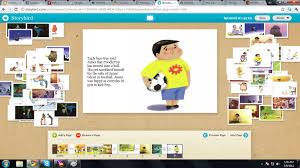
I introduced Storybird to my second graders this year (click here and here for previous posts) and found they were really excited about creating stories using this tool in the beginning but that their excitement fizzled rather quickly. Many of my really motivated writers did not even complete their Storybird writing projects leading me to believe the tool wasn't appropriate for such young children. After reading Erin's article I am newly inspired and ready to try again this coming fall. She suggested having students write first and then use Storybird to publish. When I introduced Storybird to my kiddos this past year they chose illustrations first and then tried to create a story based on those illustrations. This was REALLY HARD for them because writing fiction is CHALLENGING for 7 and 8 year olds. My students were also trying to create their stories using Mini Dells. This was a challenge because the screens were so small!
My new plan is to introduce the website to my students at the beginning of the school year by showing them some stories that I have written and sharing my writing process (Erin's suggestion). After we build up a collection of shared writing we will work together to publish a few of our writing pieces using Storybird. I have a feeling this is going to work much better. I will post in more detail once we begin our writing journey this fall!
My new plan is to introduce the website to my students at the beginning of the school year by showing them some stories that I have written and sharing my writing process (Erin's suggestion). After we build up a collection of shared writing we will work together to publish a few of our writing pieces using Storybird. I have a feeling this is going to work much better. I will post in more detail once we begin our writing journey this fall!
Tuesday, June 26, 2012
Free Technology for Teachers
If you are looking for new and innovative ways to use technology in your classroom the Free Technology for Teachers blog written by Richard Bryne is a MUST SEE! He is incredible. I can hardly keep up with all of the wonderful things he has been sharing. Sometimes he posts 5 times in one day!!!!!
Talk about making learning contagious! After each post he briefly describes how the technology applies to education. Below each post there are 4 additional links to other posts you might be interested in.
If you are using technology (and I really hope you are!) in the classroom you have now found your pot of gold at the end of the rainbow!
Some of my favorites so far are:
Wednesday, June 13, 2012
Digital Observation Forms
I, like many of you, have been searching for a better way to contain all those observational notes I collect when conferring with students and share that information with our Title 1 and Special Education teachers for years. Last year I tried using a "penseive" like the one the CAFE sisters suggest. I thought it was the best thing since sliced bread in the beginning, but by the end of the school year I realized it wasn't the best tool for me. I still wasn't able to communicate the way I wanted to with our Title 1 and Special Education teachers and I found the notebook to be a little cumbersome.
I was given an ipad to play with this summer by my school district and decided I would first use it as a teaching tool for me. I created a conferring observation form for reading, math and writing using Google Forms. I kept the forms as simple as possible. Below is a sample of the Reading Observations form that I made. I am keeping the form and all of my reading lesson plans on a private Google Site that I made for easy access while conferring.
The reason I think this is so wonderful is that each time I submit an observation it puts all the data into a spreadsheet. I can view the data in several different ways: by student, strategy, books the student has read, etc. Also, by sharing the form with my colleagues we can all enter our data while working with students and view it! This will allow all of us to be on the same page with our struggling students...the information will be at the tip of our fingers.
I was given an ipad to play with this summer by my school district and decided I would first use it as a teaching tool for me. I created a conferring observation form for reading, math and writing using Google Forms. I kept the forms as simple as possible. Below is a sample of the Reading Observations form that I made. I am keeping the form and all of my reading lesson plans on a private Google Site that I made for easy access while conferring.
The reason I think this is so wonderful is that each time I submit an observation it puts all the data into a spreadsheet. I can view the data in several different ways: by student, strategy, books the student has read, etc. Also, by sharing the form with my colleagues we can all enter our data while working with students and view it! This will allow all of us to be on the same page with our struggling students...the information will be at the tip of our fingers.
Tuesday, June 12, 2012
Summer Learning Opportunities
This summer I am posting to my classroom website on Tuesdays and Thursdays in an effort to keep those sweet second graders I had last year connected to learning over the summer. Before the last day of school I modeled and taught them how to comment on our classroom blog. We talked about social media etiquette and what a great blog comment would look like.
If you click here you will see the first post of the summer and can follow the rest from there. Last week was the first week we were out of school and I haven't had any students make a comment on any of the posts yet. Hopefully that will change soon! I am also recording the posts using Soundcloud for those little ones who might have a little trouble reading the entire post independently.
Graphics by DJ Inkers
 |
| Is what I am going to write true? |
 |
| Is what I am going to write helpful? |
 |
| Is what I am going to write interesting? |
 |
| Is what I am going to write necessary? |
 |
| Is what I am going to write kind? |
If you click here you will see the first post of the summer and can follow the rest from there. Last week was the first week we were out of school and I haven't had any students make a comment on any of the posts yet. Hopefully that will change soon! I am also recording the posts using Soundcloud for those little ones who might have a little trouble reading the entire post independently.
Graphics by DJ Inkers
Thursday, May 31, 2012
Student Led Conferences
WoW! This year flew by! It is hard to believe tomorrow is our last day of school, but it is. We finished our student led conferences last week and in some ways have struggled a bit to stay focused during our last few days together. One of the last things students shared with their parents during their conference was "Technology and Summer Learning Opportunities." One of the options they have is to sign-up to our classroom blog via email to recieve posts from me on Tuesdays and Thursdays over the summer. My hope is that we can continue to keep our learning community alive and well over the summer using technology. In an effort to do this I taught my students how to comment on our classroom blog. I modeled commenting for them and then we practiced. You can check out their comments and our classroom blog by clicking here. Throughout the summer I plan to post fun, engaging activities that students can try at home. I am hoping they will try some (if not all) of them and then comment on how the activity turned out. I also let them know they could email me any projects that they do and I will post them on the blog.
Here are a few pictures of our portfolios and the work that we shared during our conferences.


Here are a few pictures of our portfolios and the work that we shared during our conferences.
 |
| Students created "Wild & Calm" self portraits. I got this great idea from Art Projects for Kids. |
 |
The first pocket has our agenda. The math section is a "Show What You Know" piece. Students do the math while their parents watch. We review before the conference. I find that some parents have a really hard time allowing their child to do this part without jumping in and taking over though.
|

This year we created Reading Posters using Glogster EDU. You can check them out by heading to our Classroom Blog and clicking on the "Student-Led Conference" tab at the top.

Next came our writing section. This year I typed each students September and May writing samples and put them in the front. I wanted parents to notice the growth their child had made in word choice, sentence structure and content before they looked at their child's spelling and conventions. Sometimes it is hard to see past the errors. Next I put the planning sheet from their personal narratives so parents could see the process their child went through to create the story. Then students showed their published digital version of the story here. Students also had a non-fiction research piece of writing about dinosaurs and all of the letters they wrote to their parents throughout the school year.

Subscribe to:
Posts (Atom)